Built-in URLs without a translation plugin
When no translation plugin is active, the plugin uses built-in URLs:
| Language | URL of your About page |
|---|---|
| Default language (for example English) | https://example.com/about/ |
| French | https://example.com/fr/about/ |
| Arabic | https://example.com/ar/about/ |
The switcher links to these addresses, keeps any query string (?ref=nav), and works out the current language from the first part of the address. It also adds hreflang links for search engines (see hreflang and SEO).
Built-in URLs do not create or translate pages. Language Switcher Pro only builds the links. The pages at those addresses must exist on your site.
A simple way to build a site in two or three languages with built-in URLs:
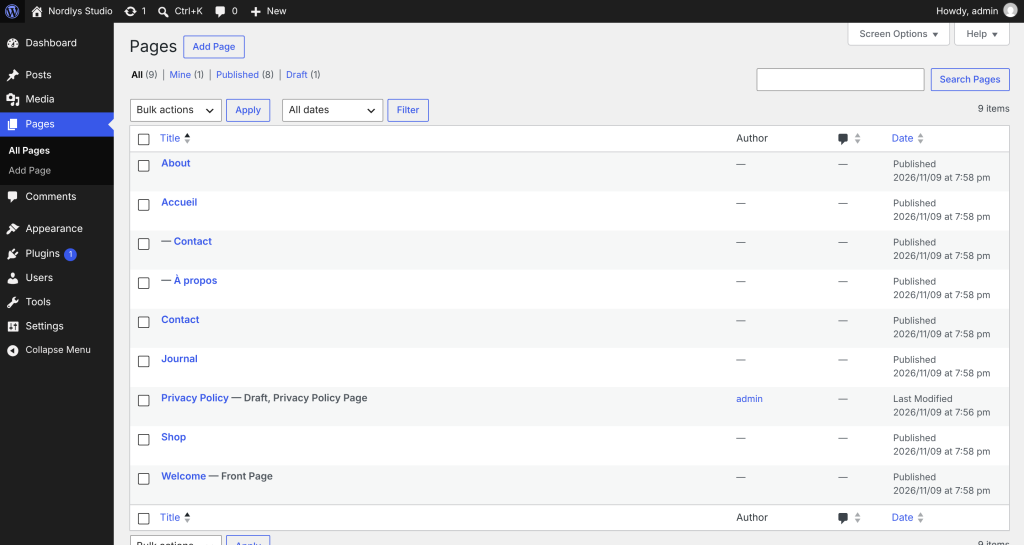
- Create a page with the slug
fr(title it Accueil, for example). This is your French home page at/fr/. - Create your French pages as child pages of it, with the same slugs as the English pages:
/fr/about/,/fr/contact/. - Repeat for each language.
Your switcher now links each English page to its French twin. Make sure every page has a twin in every language, or visitors who switch on that page get a “page not found” error.
For anything more than a handful of pages, a translation plugin is easier: it keeps translations linked for you.
Different URLs? If your language pages live at other addresses (for example different slugs per language), developers can set each link with the cls_pro_language_urls filter (see Developers).