Choosing which countries get which language
The plugin knows the main language of 144 countries: Germany, Austria and Switzerland get German; Mexico, Argentina and Spain get Spanish; the United Kingdom gets English (UK); Brazil gets Portuguese (Brazil); and so on. If you enabled only English, a visitor from the UK is offered English; if you enabled only Portuguese, a visitor from Brazil is offered Portuguese.
You only need the Which countries get which language card on the Detection tab to make changes.
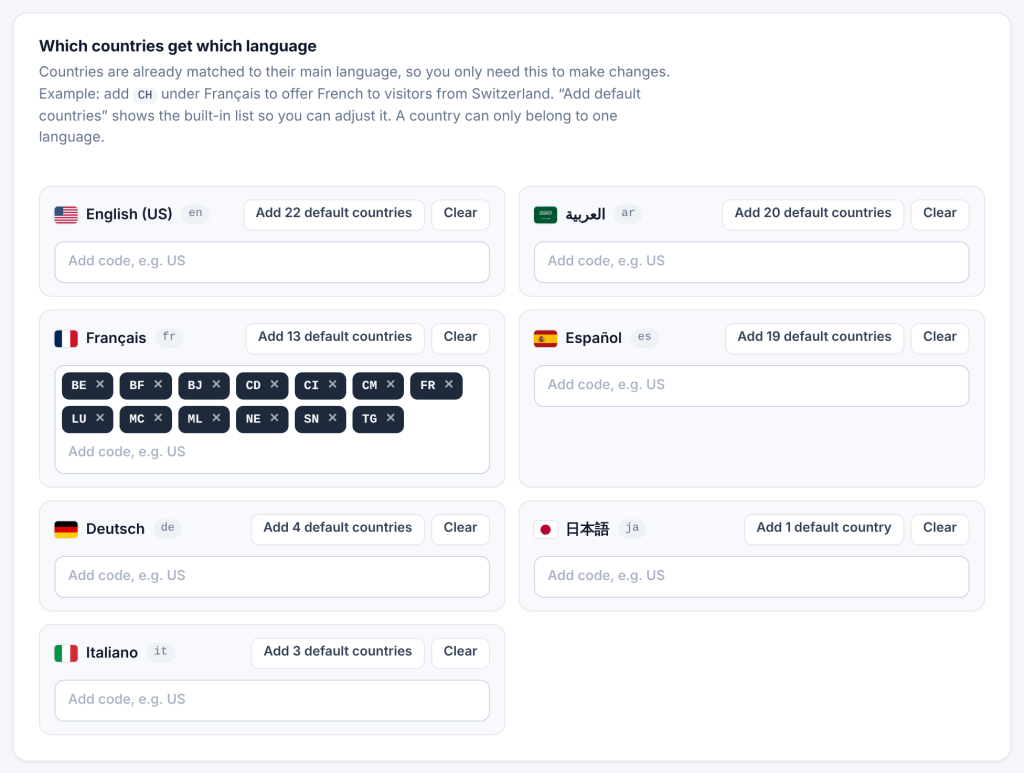
To send a country to a different language:
- Find the language’s row, for example Français.
- Click in its box, type the two-letter country code (for example
CHfor Switzerland) and press Enter. - Save.
Visitors from Switzerland are now offered French instead of German. A country can only belong to one language: adding it to one row removes it from another.
See and adjust the built-in list. Click Add N default countries on a language’s row to fill it with the countries the plugin already matches to that language. Remove any you do not want with ×, add others, and save. Click Clear to empty the row.
Common changes:
| Country | Built-in language | You might want |
|---|---|---|
Switzerland (CH) |
German | French or Italian for the Romandy or Ticino market |
Belgium (BE) |
French | Dutch |
Canada (CA) |
English | French (Canada) |
India (IN), Pakistan (PK) |
English | Hindi, Urdu |
United States (US) |
English | Spanish for a Hispanic audience |
Removing a country from a row only removes your change; the built-in language for that country still applies. To stop suggestions for a country entirely, move it to the language your page is already in, so there is nothing to suggest.