Activating your license
Your license key is in your purchase email and in your customer dashboard.
- Go to Settings → Language Switcher → License (or click Activate license under the plugin on the Plugins screen).
- Paste your key in the License key box.
- Click Activate (or press Enter).
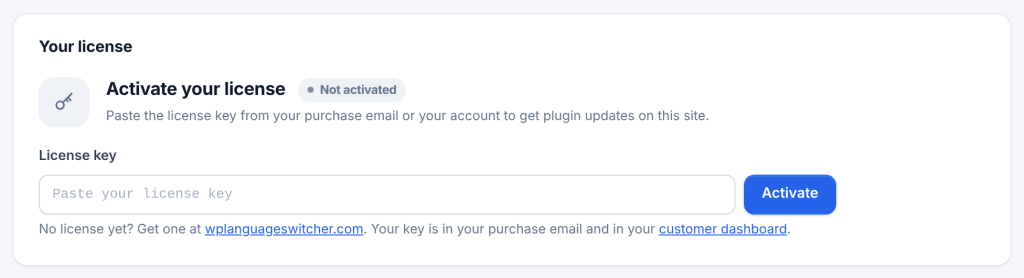
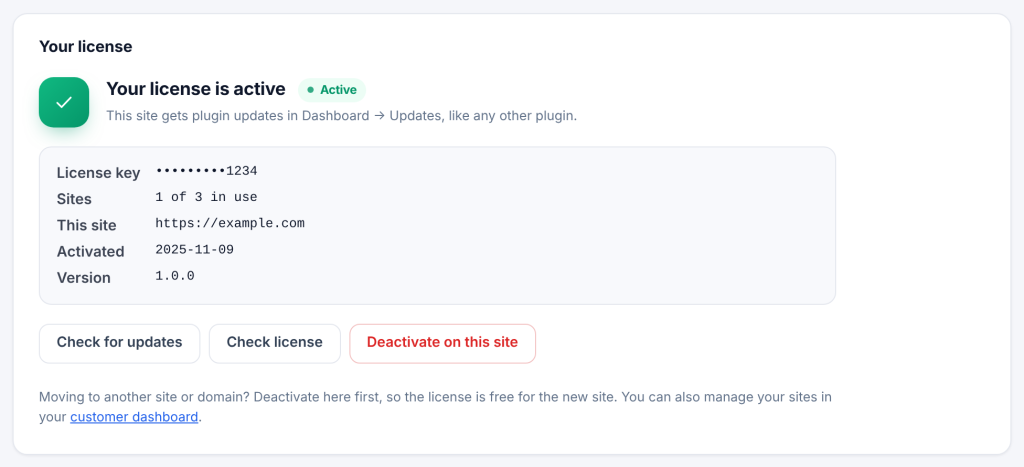
A message confirms License activated. This site now gets updates. The tab then shows your license details:
| Field | Meaning |
|---|---|
| Status | Active, Not activated, Not connected, Revoked or Could not check (see License statuses) |
| License key | Your key, with all but the last 4 characters hidden |
| Sites | How many sites use this license, out of how many it allows, for example 1 of 3 in use |
| This site | The address this activation is for |
| Activated | The date this site was activated |
| Version | The installed version, and Update to x.y.z when an update is available |
The plugin works without a license. Every feature keeps working; only updates stop.