Setting the window heading
The heading at the top of the window is shown in the language of the page: Select your language on English pages, Sprache wählen on German pages, اختر لغتك on Arabic pages. The plugin has it built in for 75 languages; others use English.
To change it for one language:
- Go to Settings → Language Switcher → Headings.
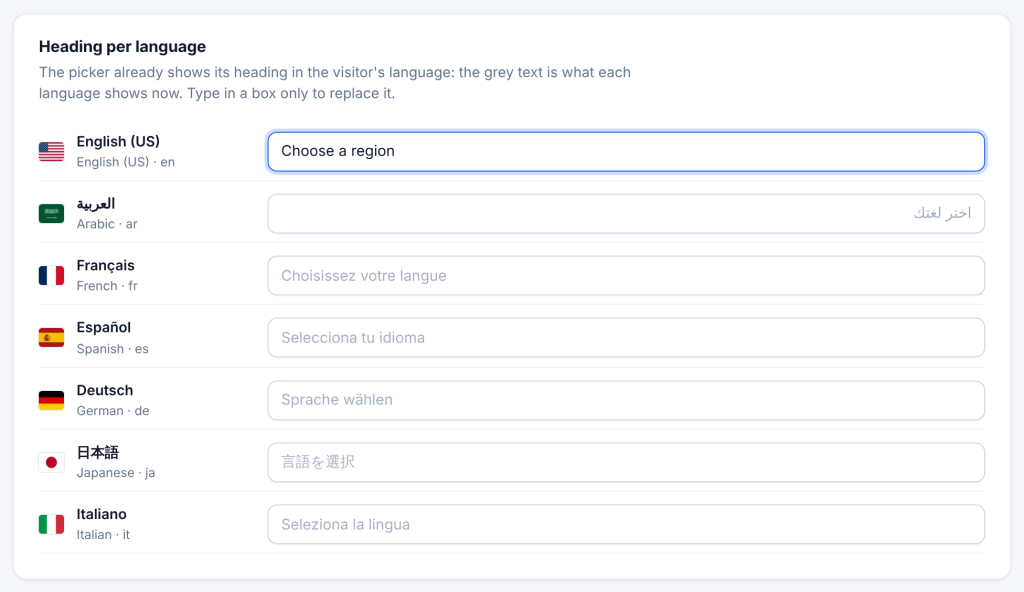
- In the Heading per language card, every enabled language has a box. The grey text is the heading it shows now.
- Type your own heading in that language’s box, for example Choose a region for English.
- Save.
To use one heading for every language: type it in the One heading for every language card. It replaces the translated heading on every language that has no heading of its own. Leave it empty unless your site uses one language for the heading everywhere.
Which heading wins: a language’s own heading first, then the one-for-all heading, then the built-in translation.