Sending events to Google Analytics 4 or Tag Manager
- Make sure Google Analytics 4 (gtag.js) or Google Tag Manager is already on your site. The plugin does not add them.
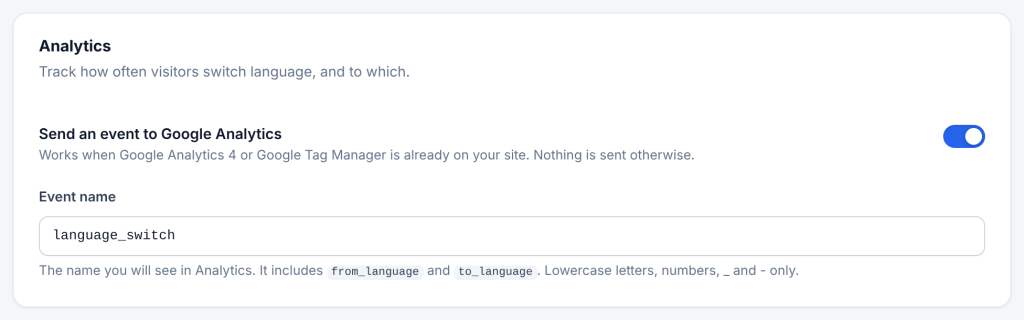
- Go to Settings → Language Switcher → Advanced → Analytics.
- Switch on Send an event to Google Analytics.
- Optional: change the Event name (default
language_switch). Use lowercase letters, numbers,_and-only. - Save.
When a visitor picks another language, the plugin sends:
| Where | What is sent |
|---|---|
| gtag.js (GA4) | gtag('event', 'language_switch', { from_language: 'en', to_language: 'fr' }), sent with a beacon so it is not lost when the page changes |
| Google Tag Manager | dataLayer.push({ event: 'language_switch', from_language: 'en', to_language: 'fr' }) |
If both are on the page, both are sent. If neither is, nothing happens.
In GA4: the event appears in Reports → Engagement → Events. To see from_language and to_language in reports, register them as custom dimensions (event scope) in Admin → Custom definitions.
In Google Tag Manager: create a Custom Event trigger for language_switch and Data Layer Variables for from_language and to_language, then use them in a GA4 Event tag.
Note
Google Analytics gets one event: a visitor clicking another language, in the switcher, the grid, the dropdown or the suggestion banner. Banners being shown or closed, and automatic redirects, are tracked in Nahnu Analytics only.