Customizing the suggestion banner
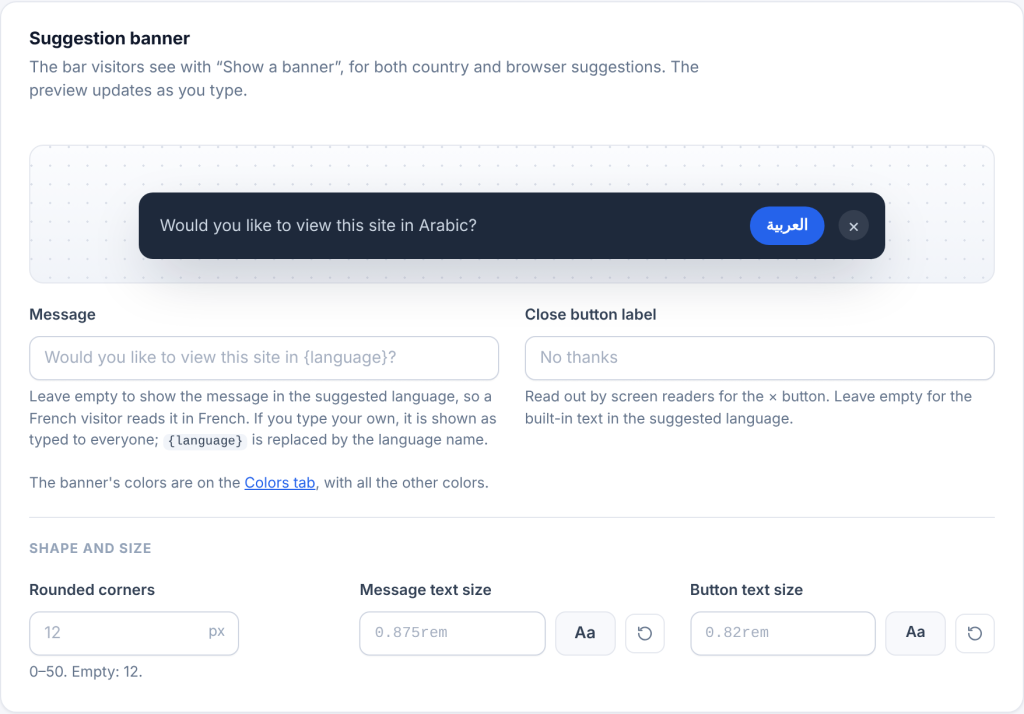
The Suggestion banner card on the Detection tab controls the bar visitors see with Show a banner, for country and browser suggestions. The preview at the top updates as you type.
Text
| Setting | Default | Notes |
|---|---|---|
| Message | Empty: the message is written in the suggested language | Built in for 48 languages. If you type your own, it is shown as typed to everyone; {language} is replaced by the language name. Example: View this page in {language}? |
| Close button label | Empty: built-in text in the suggested language | Read out by screen readers for the × button |
For languages without a built-in message, the banner says View this site in \[language\]? in English.
Colors. The banner’s background, text, button, button text and hover colors are on the Colors tab, in the Suggestion banner card, with the same live preview. By default the button uses your main color.
Shape and size
| Setting | Default | Range |
|---|---|---|
| Rounded corners | 12 px | 0 to 50 px |
| Message text size | 0.875rem |
Any size, as on the Typography tab |
| Button text size | 0.82rem |
Any size |
The banner is written in the direction of the language it offers, so a banner offering Arabic is right to left even on an English page.