How language detection works
Language detection helps visitors who land on a page in a language that is not theirs. It has two independent parts, and you can turn on either or both:
| By country | By browser language | |
|---|---|---|
| Uses | The visitor’s country, from their IP address | The languages set in the visitor’s browser |
| Needs | A CDN, host or IP database that knows countries | Nothing; works on any host |
| Example | A visitor from Mexico on your English page is offered Español | A visitor whose browser prefers German is offered Deutsch |
For each part you choose what happens:
- Show a banner. A small bar at the bottom of the page offers the language, written in that language (¿Le gustaría ver este sitio en español?). The visitor clicks to switch or closes it.
- Redirect. The visitor is sent straight to the same page in their language.
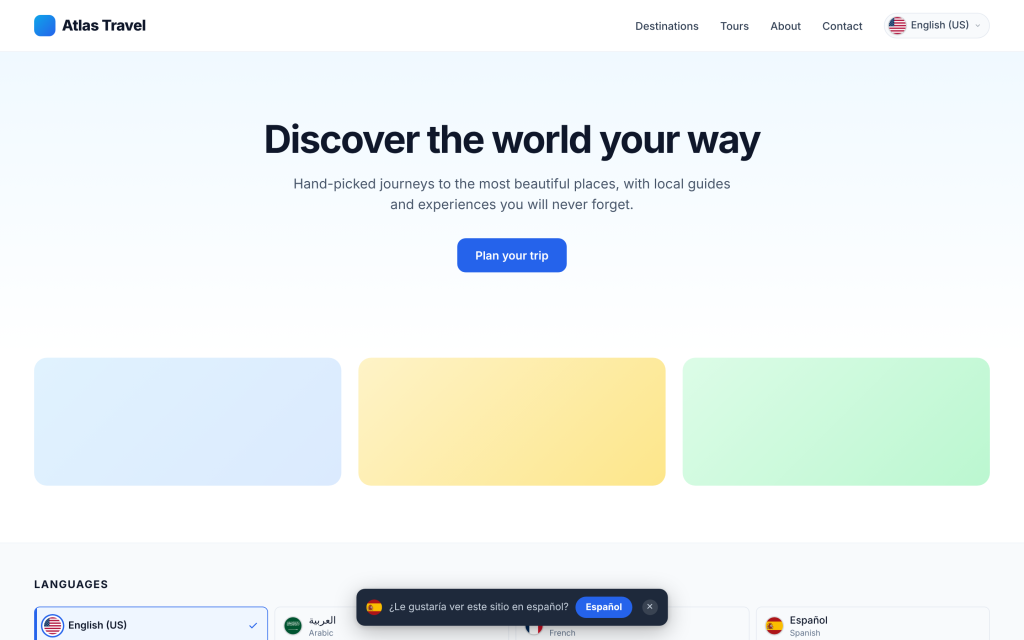
It stops as soon as the visitor decides. When a visitor picks a language in the switcher, accepts or closes a banner, or is redirected once, their choice is saved in a cookie and they are not offered or redirected again (for 365 days by default).
Who is never redirected or shown a banner:
- Search engines, social media previews (Facebook, WhatsApp, Telegram…), and speed and SEO tools (Lighthouse, PageSpeed, GTmetrix, Ahrefs, Semrush…). This lets every language get indexed.
- Logged-in users who can edit posts, so you can browse your own site in any language.
- Visitors who already chose a language.
When country and browser disagree, the country wins. If both are on and both have a suggestion, the visitor sees the country suggestion only.
Note
A suggestion is only made for a language you have enabled, and never for the language the visitor is already reading.