Theming with CSS or AI
Open Colors → CSS & AI. It has three cards.
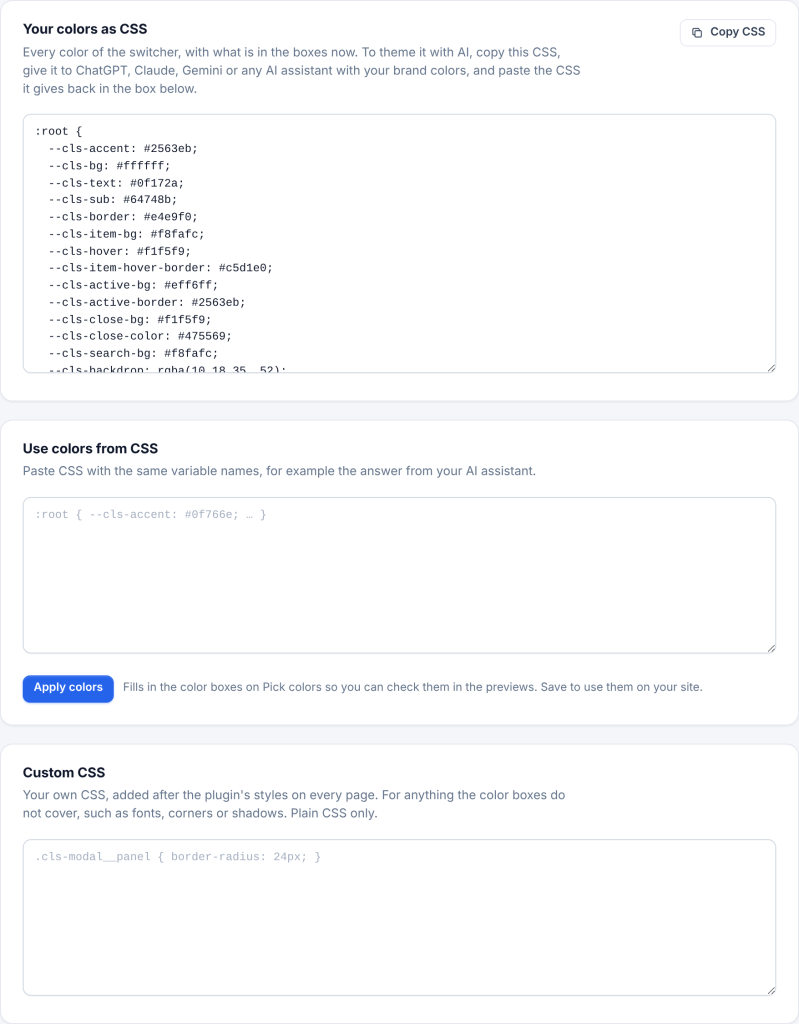
Your colors as CSS. Every color of the switcher as CSS variables, with what is in the boxes now: light colors on :root, and the dark-mode colors in the dark-mode selectors. Click Copy CSS. It updates as you change colors on Pick colors.
Theming with AI:
- Click Copy CSS.
- Paste it into ChatGPT, Claude, Gemini or any AI assistant and ask it to change the colors to your brand, for example: Change these colors to match my brand: primary #0f766e, accent #f59e0b. Keep the variable names and the dark mode dark.
- Copy the CSS it gives back and paste it in Use colors from CSS. A whole answer works too: text around the CSS is ignored.
- Click Apply colors. The matching color boxes are filled in and you are taken to Pick colors to check the previews.
- Click Save changes.
Only the --cls- variables from Your colors as CSS are read. A value that is not a plain color, such as url(…), is skipped. You can also add the button colors (--cls-trigger-bg, --cls-trigger-text, --cls-trigger-border, --cls-trigger-hover-bg, --cls-trigger-hover-border) and --cls-active-text, which are left out of the CSS while their boxes are empty.
Custom CSS. Your own CSS, added after the plugin’s styles on every page, for things the color boxes do not cover, such as corners, shadows or fonts. Plain CSS only: HTML tags, < and @import are removed when you save.
.cls-modal__panel { border-radius: 24px; }