Using a dropdown instead of the language window
By default, the button opens a window in the middle of the screen. If you only have a few languages, a small dropdown under the button can feel lighter.
To turn it on, go to Advanced → Picker behavior and switch on Small dropdown instead of the picker window. Save.
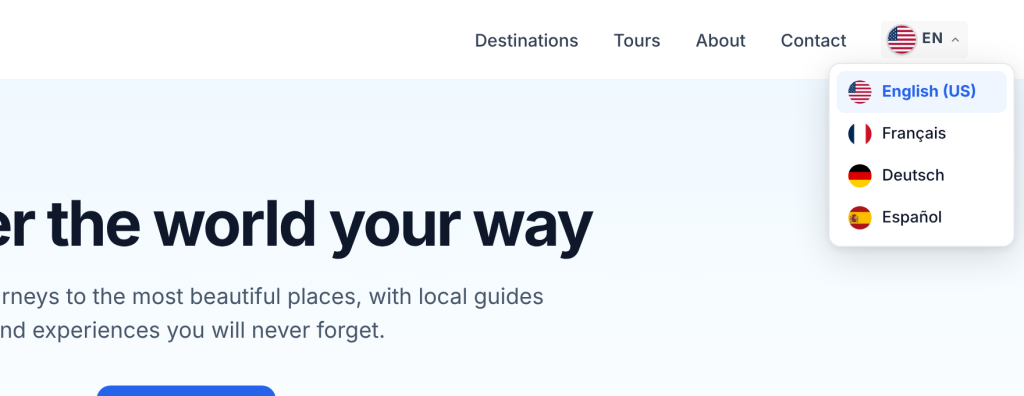
How the dropdown works:
- It opens right under the button, and above it when there is no room below.
- It lists every enabled language with its flag and name. The current language is highlighted.
- Visitors can use the arrow keys, Enter and Escape. Clicking outside closes it.
- It works for every button on the site: menu, block, shortcode and PHP.
Not available in the dropdown: the search box and “Recently used”. If you have many languages, keep the language window.
Note
Good to know: The “Ask them to choose” banner (Detection tab) always opens the full language window, even with the dropdown on, because it is not attached to a button.